GET /api/take
Web screenshot API for developers and agents
Capture a pixel-perfect webpage screenshot of any URL, HTML or Markdown with one HTTP request: full-page, retina or mobile, cookie banners and ads removed. Get PNG, PDF, video or Markdown back. Start free, no credit card.
curl -X POST "https://shotkit.net/api/take" \
  -H "X-Access-Key: YOUR_ACCESS_KEY" \
  -H "Content-Type: application/json" \
  -d '{"url":"https://github.com","format":"png","full_page":true,"block_cookie_banners":true,"dark_mode":true}' \
  --fail-with-body -o shot.png
import { writeFile } from "node:fs/promises";
const res = await fetch("https://shotkit.net/api/take", {
method: "POST",
headers: { "X-Access-Key": "YOUR_ACCESS_KEY", "Content-Type": "application/json" },
body: JSON.stringify({
"url": "https://github.com",
"format": "png",
"full_page": true,
"block_cookie_banners": true,
"dark_mode": true
}),
});
if (!res.ok) throw new Error((await res.json()).error_message);
await writeFile("shot.png", Buffer.from(await res.arrayBuffer()));import requests
res = requests.post(
"https://shotkit.net/api/take",
headers={"X-Access-Key": "YOUR_ACCESS_KEY"},
json={
"url": "https://github.com",
"format": "png",
"full_page": True,
"block_cookie_banners": True,
"dark_mode": True
},
timeout=90,
)
res.raise_for_status()
open("shot.png", "wb").write(res.content)package main
import (
"io"
"net/http"
"os"
"strings"
)
func main() {
body := `{
"url": "https://github.com",
"format": "png",
"full_page": true,
"block_cookie_banners": true,
"dark_mode": true
}`
req, _ := http.NewRequest("POST", "https://shotkit.net/api/take", strings.NewReader(body))
req.Header.Set("X-Access-Key", "YOUR_ACCESS_KEY")
req.Header.Set("Content-Type", "application/json")
res, err := http.DefaultClient.Do(req)
if err != nil {
panic(err)
}
defer res.Body.Close()
if res.StatusCode != http.StatusOK {
msg, _ := io.ReadAll(res.Body)
panic(string(msg))
}
f, _ := os.Create("shot.png")
defer f.Close()
io.Copy(f, res.Body)
}require "net/http"
uri = URI("https://shotkit.net/api/take")
body = <<~'JSON'
{
"url": "https://github.com",
"format": "png",
"full_page": true,
"block_cookie_banners": true,
"dark_mode": true
}
JSON
res = Net::HTTP.start(uri.host, uri.port, use_ssl: uri.scheme == "https", read_timeout: 90) do |http|
http.post(uri.path, body, "X-Access-Key" => "YOUR_ACCESS_KEY", "Content-Type" => "application/json")
end
raise res.body unless res.is_a?(Net::HTTPSuccess)
File.binwrite("shot.png", res.body)<?php
$body = <<<'JSON'
{
"url": "https://github.com",
"format": "png",
"full_page": true,
"block_cookie_banners": true,
"dark_mode": true
}
JSON;
$ch = curl_init("https://shotkit.net/api/take");
curl_setopt_array($ch, [
CURLOPT_POST => true,
CURLOPT_HTTPHEADER => ["X-Access-Key: YOUR_ACCESS_KEY", "Content-Type: application/json"],
CURLOPT_POSTFIELDS => $body,
CURLOPT_RETURNTRANSFER => true,
CURLOPT_TIMEOUT => 90,
]);
$res = curl_exec($ch);
if (curl_getinfo($ch, CURLINFO_HTTP_CODE) !== 200) {
throw new Exception($res);
}
file_put_contents("shot.png", $res);import java.net.URI;
import java.net.http.HttpClient;
import java.net.http.HttpRequest;
import java.net.http.HttpResponse;
import java.nio.file.Path;
import java.time.Duration;
public class Screenshot {
public static void main(String[] args) throws Exception {
String body = """
{
"url": "https://github.com",
"format": "png",
"full_page": true,
"block_cookie_banners": true,
"dark_mode": true
}
""";
HttpRequest req = HttpRequest.newBuilder(URI.create("https://shotkit.net/api/take"))
.header("X-Access-Key", "YOUR_ACCESS_KEY")
.header("Content-Type", "application/json")
.timeout(Duration.ofSeconds(90))
.POST(HttpRequest.BodyPublishers.ofString(body))
.build();
HttpResponse<byte[]> res = HttpClient.newHttpClient().send(req, HttpResponse.BodyHandlers.ofByteArray());
if (res.statusCode() != 200) throw new RuntimeException(new String(res.body()));
java.nio.file.Files.write(Path.of("shot.png"), res.body());
}
}using System.Text;
using var http = new HttpClient { Timeout = TimeSpan.FromSeconds(90) };
http.DefaultRequestHeaders.Add("X-Access-Key", "YOUR_ACCESS_KEY");
var body = """
{
"url": "https://github.com",
"format": "png",
"full_page": true,
"block_cookie_banners": true,
"dark_mode": true
}
""";
var res = await http.PostAsync("https://shotkit.net/api/take", new StringContent(body, Encoding.UTF8, "application/json"));
if (!res.IsSuccessStatusCode) throw new Exception(await res.Content.ReadAsStringAsync());
await File.WriteAllBytesAsync("shot.png", await res.Content.ReadAsByteArrayAsync());import java.io.File
import java.net.URI
import java.net.http.HttpClient
import java.net.http.HttpRequest
import java.net.http.HttpResponse
import java.time.Duration
fun main() {
val body = """
{
"url": "https://github.com",
"format": "png",
"full_page": true,
"block_cookie_banners": true,
"dark_mode": true
}
""".trimIndent()
val req = HttpRequest.newBuilder(URI.create("https://shotkit.net/api/take"))
.header("X-Access-Key", "YOUR_ACCESS_KEY")
.header("Content-Type", "application/json")
.timeout(Duration.ofSeconds(90))
.POST(HttpRequest.BodyPublishers.ofString(body))
.build()
val res = HttpClient.newHttpClient().send(req, HttpResponse.BodyHandlers.ofByteArray())
check(res.statusCode() == 200) { String(res.body()) }
File("shot.png").writeBytes(res.body())
}// Cargo.toml: reqwest = { version = "0.12", features = ["blocking"] }
use std::time::Duration;
fn main() -> Result<(), Box<dyn std::error::Error>> {
let body = r#"{
"url": "https://github.com",
"format": "png",
"full_page": true,
"block_cookie_banners": true,
"dark_mode": true
}"#;
let res = reqwest::blocking::Client::new()
.post("https://shotkit.net/api/take")
.header("X-Access-Key", "YOUR_ACCESS_KEY")
.header("Content-Type", "application/json")
.timeout(Duration::from_secs(90))
.body(body)
.send()?;
if !res.status().is_success() {
return Err(res.text()?.into());
}
std::fs::write("shot.png", res.bytes()?)?;
Ok(())
}import Foundation
var req = URLRequest(url: URL(string: "https://shotkit.net/api/take")!)
req.httpMethod = "POST"
req.timeoutInterval = 90
req.setValue("YOUR_ACCESS_KEY", forHTTPHeaderField: "X-Access-Key")
req.setValue("application/json", forHTTPHeaderField: "Content-Type")
req.httpBody = #"""
{
"url": "https://github.com",
"format": "png",
"full_page": true,
"block_cookie_banners": true,
"dark_mode": true
}
"""#.data(using: .utf8)
let (data, res) = try await URLSession.shared.data(for: req)
guard (res as! HTTPURLResponse).statusCode == 200 else {
fatalError(String(decoding: data, as: UTF8.self))
}
try data.write(to: URL(fileURLWithPath: "shot.png"))Mix.install([{:req, "~> 0.5"}])
body = ~S"""
{
"url": "https://github.com",
"format": "png",
"full_page": true,
"block_cookie_banners": true,
"dark_mode": true
}
"""
res =
Req.post!("https://shotkit.net/api/take",
headers: [{"x-access-key", "YOUR_ACCESS_KEY"}, {"content-type", "application/json"}],
body: body,
receive_timeout: 90_000,
decode_body: false
)
if res.status != 200, do: raise(res.body)
File.write!("shot.png", res.body)https://shotkit.net/api/take?access_key=YOUR_ACCESS_KEY&url=https%3A%2F%2Fgithub.com&format=png&full_page=true&block_cookie_banners=true&dark_mode=trueFull-page PNG of github.com in dark mode, cookie banners removed. Replace YOUR_ACCESS_KEY with a key from your dashboard, or read the quickstart.
No clutter
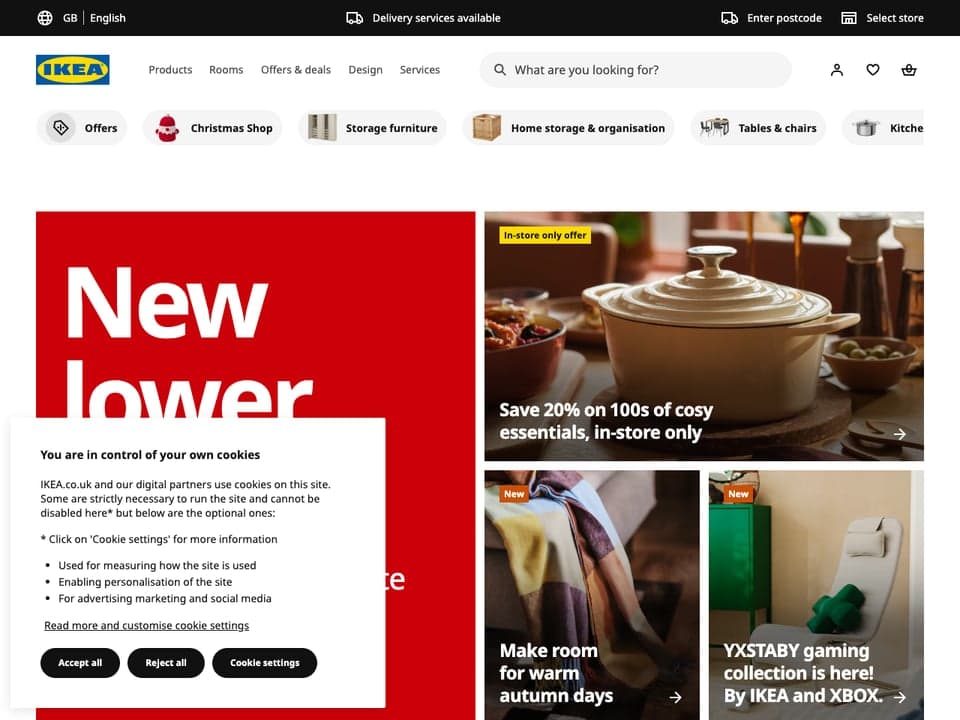
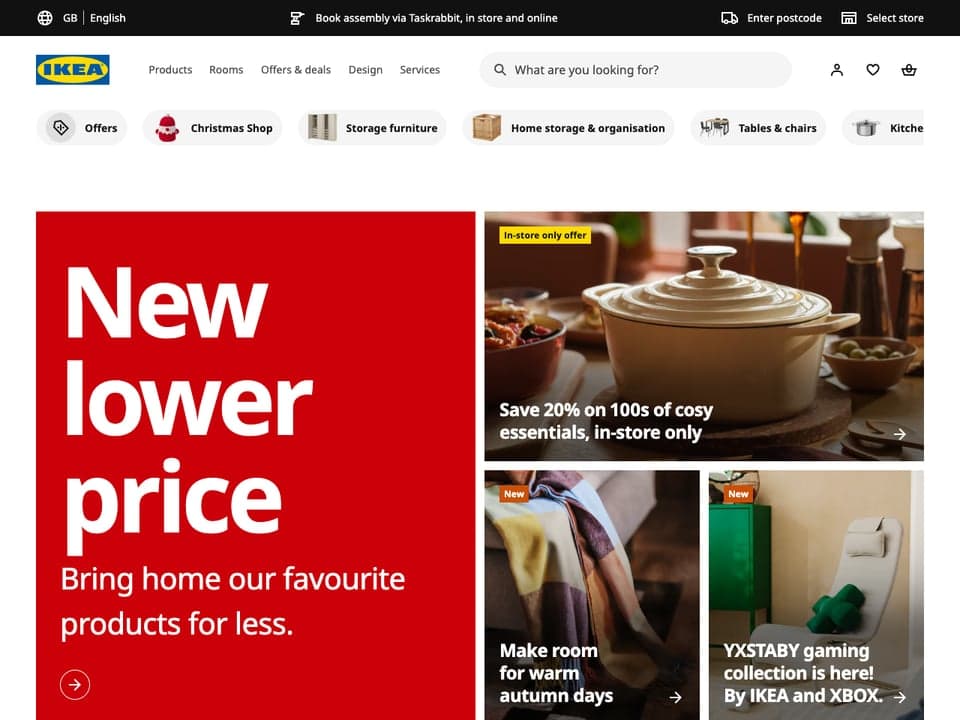
Clean website screenshots without cookie banners or ads
One parameter removes the consent popups, ads and chat widgets that ruin automated captures.
- Block cookie banners
- Hide GDPR and consent popups with rules and heuristics.
- Block ads and trackers
- Drop ad networks and analytics before they load.
- Hide chat widgets
- Intercom, Drift, Crisp and friends stay out of the shot.
- Block anything else
- Any request pattern, resource type or CSS selector.
Full control
Customize every screenshot: dark mode, CSS, clicks
Control the headless browser before the shutter fires.
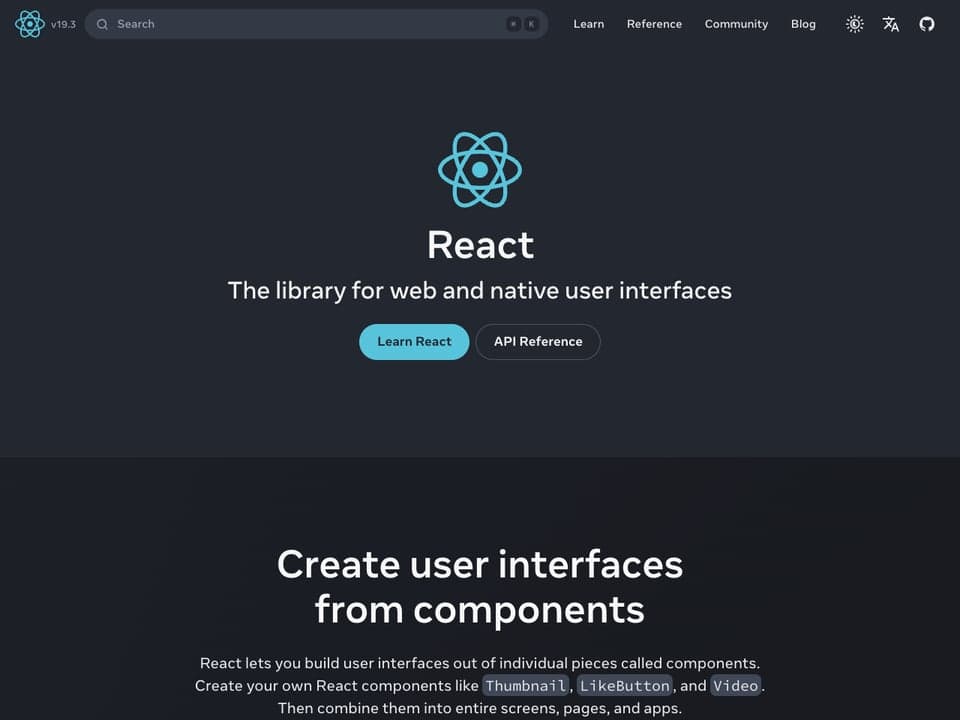
- Dark mode & reduced motion
- Emulate prefers-color-scheme, reduced motion and print media.
- Inject CSS & JavaScript
- Restyle the page or run scripts before capture.
- Click, hover, wait
- Interact with elements, wait for selectors or network idle.
- Headers, cookies, proxies
- Capture pages behind auth, in any time zone or geolocation.

Pixel-perfect
Full-page, retina and mobile screenshots
Any screen size, from a phone in landscape to a 5× retina desktop.
- 150+ device presets
- iPhone, iPad, Pixel, Galaxy, or any custom viewport.
- Retina rendering
- Device pixel ratio up to 5× for crisp images.
- Full-page screenshots
- Scrolls to trigger lazy-loaded images, with max height and slices.
- Element screenshots
- Capture a single CSS selector or a clip rectangle.
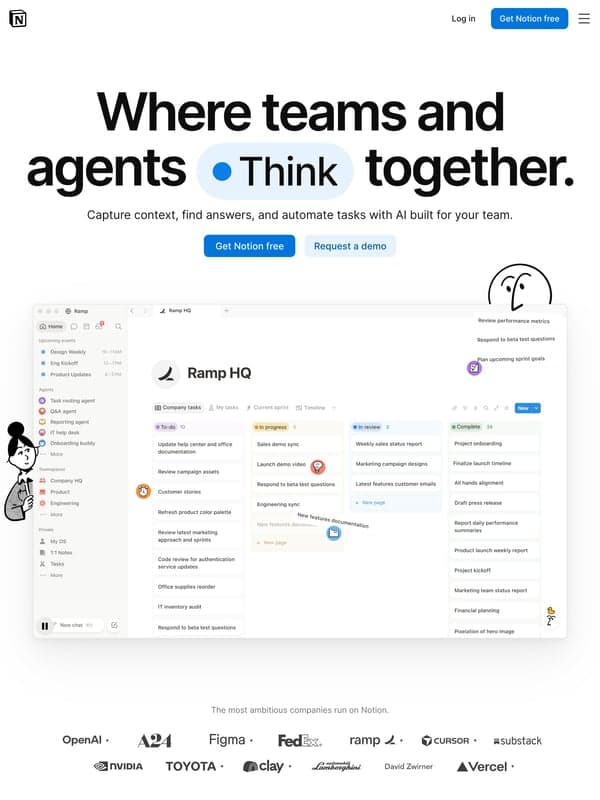
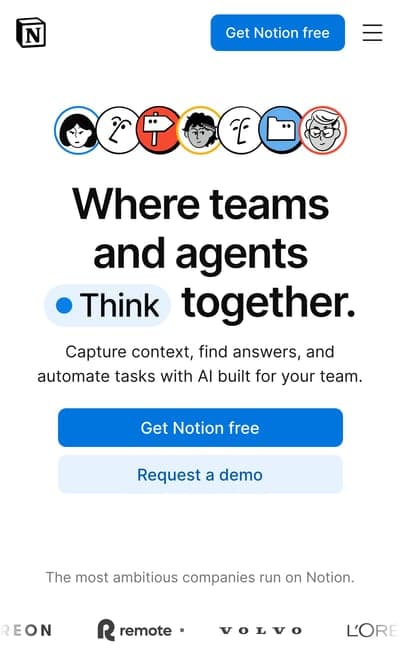
Any input, any output
HTML to image, URL to PDF, website to video
One endpoint for every rendering job.
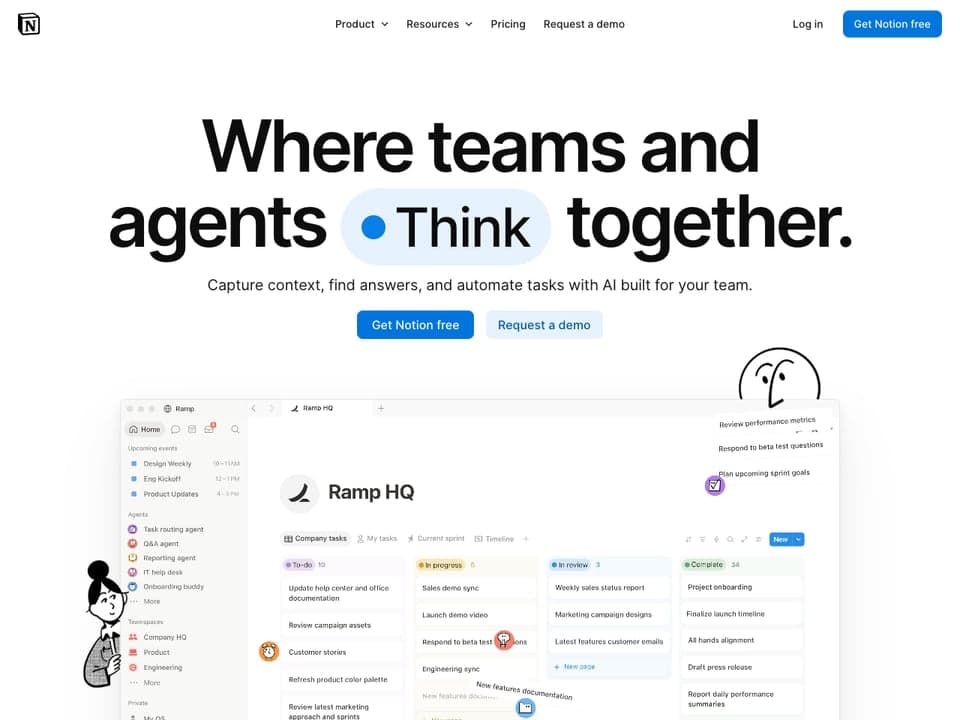
- URL, HTML or Markdown in
- Render live sites or your own templates.
- Images
- PNG, JPG, WebP, AVIF, GIF and TIFF.
- PDF generation
- Paper size, margins, landscape and fit-to-one-page.
- Video & animated GIF
- Record scrolling MP4, WebM, GIF or WebP clips.
- Markdown & HTML out
- Turn any page into clean text for LLMs and AI agents.
- Metadata
- Title, favicon, Open Graph, fonts, HTTP status and page content.
 A4 · page 1
Digital image output of computer display This article is about images of computer displays. For images taken from video, see [Still frame](https://en.wikipedia.org/wiki/Still_frame "Still frame"). A screenshot of a computer display A **screenshot** (also known as **screen capture** or **screen grab**) is an analog or digital image that shows the contents of a computer display. A screenshot is created by a (film) camera shooting the screen or the [operating system](https://en.wikipedia.org/wiki/Operating_system "Operating system") or [software](https://en.wikipedia.org/wiki/Software "Software") running on the device powering the display. The separate process of taking [still frames](https://en.wikipedia.org/wiki/Still_frame "Still frame"), images from video or film, is sometimes called still screenshots, screen captures or screen grabs. ## Screenshot techniques \[[edit](/w/index.php?title=Screenshot&action=edit§ion=1 "Edit section: Screenshot techniques")\] ### Digital techniques \[[edit](/w/index.php?title=Screenshot&action=edit§ion=2 "Edit section: Digital techniques")\] The first screenshots were created with the first interactive computers around 1960.[\[1\]](#cite_note-1) Through the 1980s, computer operating systems did not universally have built-in functionality for capturing screenshots. Sometimes text-only screens could be dumped to a [text file](https://en.wikipedia.org/wiki/Text_file "Text file"), but the result would only capture the content of the screen, not the appearance, nor were graphics screens preservable this way. Some systems had a [BSAVE](https://en.wikipedia.org/wiki/BSAVE_\(bitmap_format\) "BSAVE (bitmap format)") command that could be used to capture the area of memory where screen data was stored, but this required access to a [BASIC](https://en.wikipedia.org/wiki/BASIC "BASIC") prompt. Systems with [composite video](https://en.wikipedia.org/wiki/Composite_video "Composite video") output could be connected to a [VCR](https://en.wikipedia.org/wiki/Videocassette_recorder "Videocassette recorder"), and entire [screencasts](https://en.wikipedia.org/wiki/Screencast "Screencast") preserved this way.[\[2\]](#cite_note-:0-2) Most screenshots are [raster images](https://en.wikipedia.org/wiki/Raster_image "Raster image"), but some vector-based GUI environments like [Cairo](https://en.wikipedia.org/wiki/Cairo_\(graphics\) "Cairo (graphics)") are capable of generating [vector](https://en.wikipedia.org/wiki/Vector_graphics "Vector graphics") screenshots.[\[3\]](#cite_note-3)[\[4\]](#cite_note-4) ### Photographic techniques
MCP server
Give your AI agent eyes with the shotkit MCP server
Connect Claude, Cursor, VS Code or any MCP client to one remote URL. Your agent screenshots pages and reads them as Markdown, nothing to install.
- Screenshots the model can see
- The screenshot tool returns the image inline, with every API option.
- Pages as Markdown
- page_to_markdown loads a URL in a real browser and returns clean text.
- One remote server
- Streamable HTTP with your access key in a header. No local process to run.
- Same plan, same limits
- Tool calls count as API requests, and cached results are free.
Screenshot vercel.com and tell me what the hero says.
{ "url": "https://vercel.com", "block_cookie_banners": true }
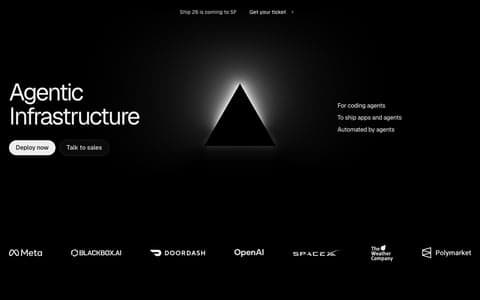
It says “Agentic Infrastructure”, with Deploy now and Talk to sales buttons and logos from Meta, OpenAI and SpaceX below.
Built for production
Automate screenshots at scale with caching and webhooks
No browsers to patch, no queues to babysit.
- Cache & CDN
- Cached renders are free and served from a stable URL.
- Signed URLs
- Embed straight in <img> without leaking your key.
- Async & webhooks
- Fire and forget; receive a signed POST when it's done.
- Fail fast
- Error on failed requests or missing content instead of shipping a broken image.
 notion.com
 github.comvercel.com
 linear.app
 supabase.com
 tailwindcss.com
Screenshot tool
A screenshot taker for webpages, beyond the snipping tool
A Windows screenshot with Snipping Tool or print screen only grabs your own screen. To screenshot a webpage, paste its URL into the free website screenshot tool and get the whole page, no signup needed.
- Captures the whole page
- Not just what fits on your monitor: full_page=true scrolls and grabs everything below the fold in one image.
- Nothing to install
- Works in any browser on Windows, macOS, Linux or ChromeOS. No screenshot app, extension or print screen key needed.
- Any screen, not yours
- Grab a webpage as an iPhone, iPad, Pixel or 5× retina desktop sees it, whatever your own screen is.
- Clean and repeatable
- Cookie banners and ads removed, the same settings every time, and a link to share or embed the screen grab.
Use cases
Screenshot API use cases
- Link previews & OG images
- Generate social cards and thumbnails from HTML templates.
- Visual regression testing
- Snapshot pages on every deploy and diff them.
- AI agents & vision
- Give LLMs eyes on the web as images or Markdown.
- Archiving & compliance
- Keep a dated visual record of pages and ads.
- Website monitoring
- Catch broken layouts after plugin or CMS updates.
- Invoices & reports
- Render HTML to pixel-perfect PDFs.
Pricing
Simple, predictable pricing
Start on the free tier with 100 screenshots a month. Every feature on every plan, 20% off when billed annually. Only successful, uncached renders count toward your monthly screenshots.
Billed monthly
- 2,000 screenshots / month
- 30 requests / minute
- All features included
Billed monthly
- 10,000 screenshots / month
- 60 requests / minute
- All features included
Ultimate
Custom volume and rate limits for high-volume teams, with every feature included. Pricing on request.
Included on every plan
- All 107 API options
- Cookie banner, ad & chat blocking
- Block any request, resource or selector
- Full-page, retina & 150+ devices
- Element screenshots
- PNG, JPG, WebP, AVIF & PDF
- Video & animated GIF
- HTML & Markdown in and out
- Page metadata & Open Graph
- Dark mode & reduced motion
- Custom CSS & JavaScript
- Clicks, hovers & waits
- Headers, cookies & proxies
- Time zone & geolocation
- OpenAI vision prompts
- Cache & CDN (cache hits are free)
- Signed URLs
- Async renders & webhooks
- MCP server for AI agents
Frequently asked questions
What is a screenshot API?
A screenshot API is an HTTP endpoint that loads a web page in a real headless browser and returns an image, PDF or video of it. You send a URL (or raw HTML), it sends back the render — no Puppeteer, Playwright or Chrome to run yourself.
How do I take a screenshot of a website with an API?
Send a GET or POST request to /api/take with your access key and a url parameter. Add options like format=png, full_page=true or block_cookie_banners=true. 107 options are available, all with sane defaults.
Can I convert HTML to an image or PDF?
Yes. Pass html (or markdown) instead of url and pick an output format: PNG, JPG, WebP, AVIF, GIF, TIFF or PDF. It's a common way to generate Open Graph images, certificates, invoices and reports.
Does it capture full-page screenshots and lazy-loaded images?
Yes. full_page=true scrolls the page to trigger lazy loading before capturing, and you can cap the height or split the result into slices.
How do I remove cookie banners and ads from screenshots?
Set block_cookie_banners=true, block_ads=true, block_trackers=true or block_chats=true. You can also hide any CSS selector or block request patterns.
Which programming languages are supported?
Any language that can make an HTTP request: Node.js, Python, Go, PHP, Ruby, Java, C# and plain cURL. The playground generates ready-to-paste snippets.
Is shotkit a free screenshot tool?
shotkit is a screenshot API, and its playground doubles as a screenshot tool in your browser. There's a free tier: the Hobby plan includes 100 screenshots a month with every feature, no credit card required. Paid plans start at $9/month for higher volume.
Can I take screenshots without writing code?
Yes. The playground is a screenshot taker that runs in your browser: paste a URL, pick options and render. When you're ready to automate, it gives you the same request as code.
Is it a snipping tool or print screen app for Windows?
No. Snipping Tool (Win + Shift + S) and the Print Screen key grab whatever is on your own screen, including desktop apps. shotkit captures webpages only, on a remote browser, so it can grab a full-page screenshot, use any device size and remove popups. It runs in the browser, so taking a webpage screenshot on Windows works the same as on Mac and Linux, with nothing to install.
How do I take a full-page screenshot of a webpage?
Paste the URL into the playground, turn on Full page and press Render. With the API, add full_page=true to the request. The page is scrolled to load lazy images, then captured top to bottom as one PNG, JPG, WebP or PDF.
Is it a Puppeteer or Playwright alternative?
For capturing pages, yes. You get the same headless Chromium rendering without managing browser binaries, memory leaks, fonts or concurrency.
Automate website screenshots today
Try every option in the playground, then copy the request into your code. The free tier includes 100 screenshots a month.